Custom Firmware for the Sony MZ-RH1
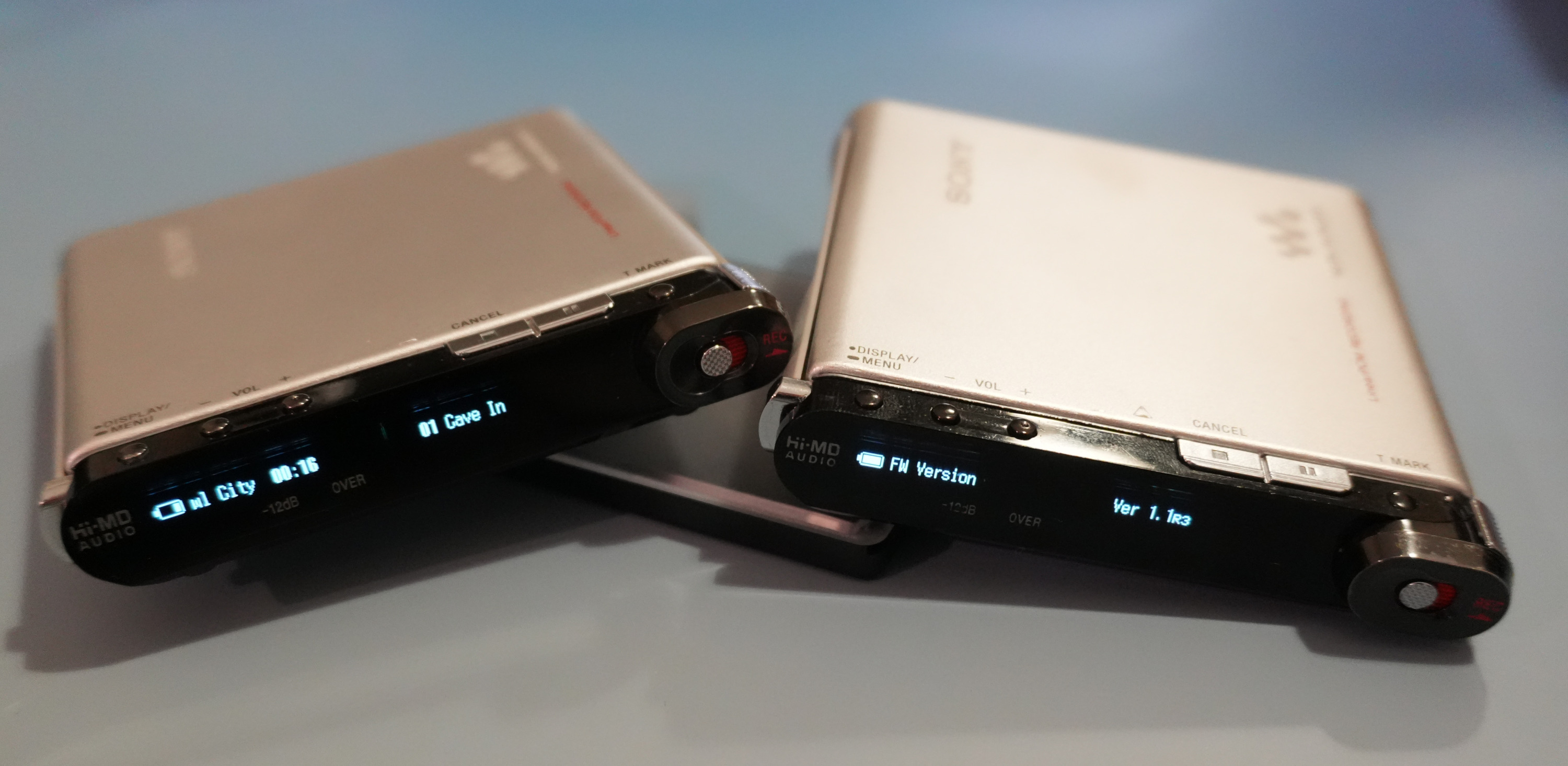 Modern usability improvements for Sony's last Hi-MD flagship recorder.
Overview
This custom firmware extends the original functionality of the MZ-RH1 while maintaining all existing capabilities. It introduces new features such as enhanced track information display and improved OLED brightness control. More configuration are now accessible directly on the device, giving the RH1 the power it always deserved.
Changelog
v1.2r5
-
Track Info Display Updates:
- Multiple selectable display templates
- Blinks when paused
- Improved stability and disc change detection
- Initial support for configuration over NetMD (for future configuration tools)
-
OLED Brightness & Auto-Off Control:
- Full control over display intensity and dimming behavior.
- Brightness Level Configuration:
- Brightness H – Brightness for normal operation
- Brightness L – Brightness in dimmed state
- Auto-Off Behavior:
- (Only active when Option → EL Light is set to Auto Off in the stock menu!)
- Normal – Default dim → partial shutdown (battery remains visible)
- Dim Only – Dims without hiding elements
- Fully Off – Dim → complete display off (including battery icon)
- USB Mode Behavior:
- Normal
- Fully Off
-
Recording & Track Control Improvements:
- Recording settings accessible from the remote menu
- Track erase menu now displays track number
- T-Mark button can be reconfigured as Group Skip
-
NetMD Factory Command Extensions (for tooling, development, and future web-based configuration):
- Read/Write CFW configuration
- Arbitrary memory read/write
- Arbitrary EEPROM read/write
v1.1r3
-
Initial public release, which added:
- Track Info Display Mode
- Track Controls in OLED Menu
-
See also: Custom Firmware for the MZ-RH1 - Ready for Testing!
CFW Configuration Menu
CFW Settings
├─ OLED
│  ├─ Brightness L (Low, Medium 1, Medium 2, High)
│  ├─ Brightness H (Low, Medium 1, Medium 2, High)
│  ├─ Auto Off     (Normal, Dim Only, Fully Off)
│  └─ On USB       (Normal, Fully Off)
├─ TrackInfoStyle
├─ T-Mark (T-Mark / Group Skip)
└─ About
All options are configurable directly on-device using the OLED display.
Limitations
- Track title display only supports Latin characters
- Half-width Katakana titles are romanized
The character limitation is hardware-based, so support for alternative character sets can sadly never be added.
FAQ
Q: How can I install the new firmware?
A: Firmware installation is performed using the WebUSB flasher linked below. Download the latest firmware build and use the flasher web application to flash it to your MZ-RH1.
Q: I found a bug, how can I report it?
A: You can report bugs on the GitHub page, under the ‘Issues’ section. You can also contact me directly on the MiniDisc Wiki Discord, or by e-mail at sir68k at gmail dot com.
Q: Can you increase the font size?
A: Sadly no, we cannot change the font as it is hardcoded in the display controller.
Q: Why are you not using more typical icons before the track, album, and artist names?
A: Because these are not available in the font that is hardcoded in the display controller. As such, we need to use what is available.
Q: Why make this when so many RH1s have non-functional OLED displays?
A: You can easily replace the OLEDs these days, see MZ-RH1 Compatible Display Module!
Links
- Programming/Flashing Tool: MZ-RH1 WebUSB Flasher
- Latest Custom Firmware Build: fw_rh1_1.2r5.bin
- Source Code: GitHub